
ulg export all out/ # everything below; or: qgis | sld | web | tokens
| Target | Command | You get |
|---|---|---|
| QGIS | ulg export qgis out/ --lod auto |
layer styles for polygons, lines and points, a style library, a palette |
| GeoServer, MapServer, QGIS Server, INSPIRE view services | ulg export sld out/ |
OGC SLD 1.0 files with pattern tiles and symbols |
| MapLibre GL, Mapbox GL | ulg export web out/ |
sprite, style layers, pattern tiles, tokens, catalog |
| Figma, CSS, apps | ulg export tokens out/ |
CSS custom properties, DTCG design tokens, flat JSON, catalog JSON |
Every export takes --theme (mellow, planzv, alkis, basemap, bfn, osm, mono) and
--lang de for German labels. Your data needs one attribute with element ids (default element);
classify it first if it comes in another scheme (4.5).
5.1 QGIS#
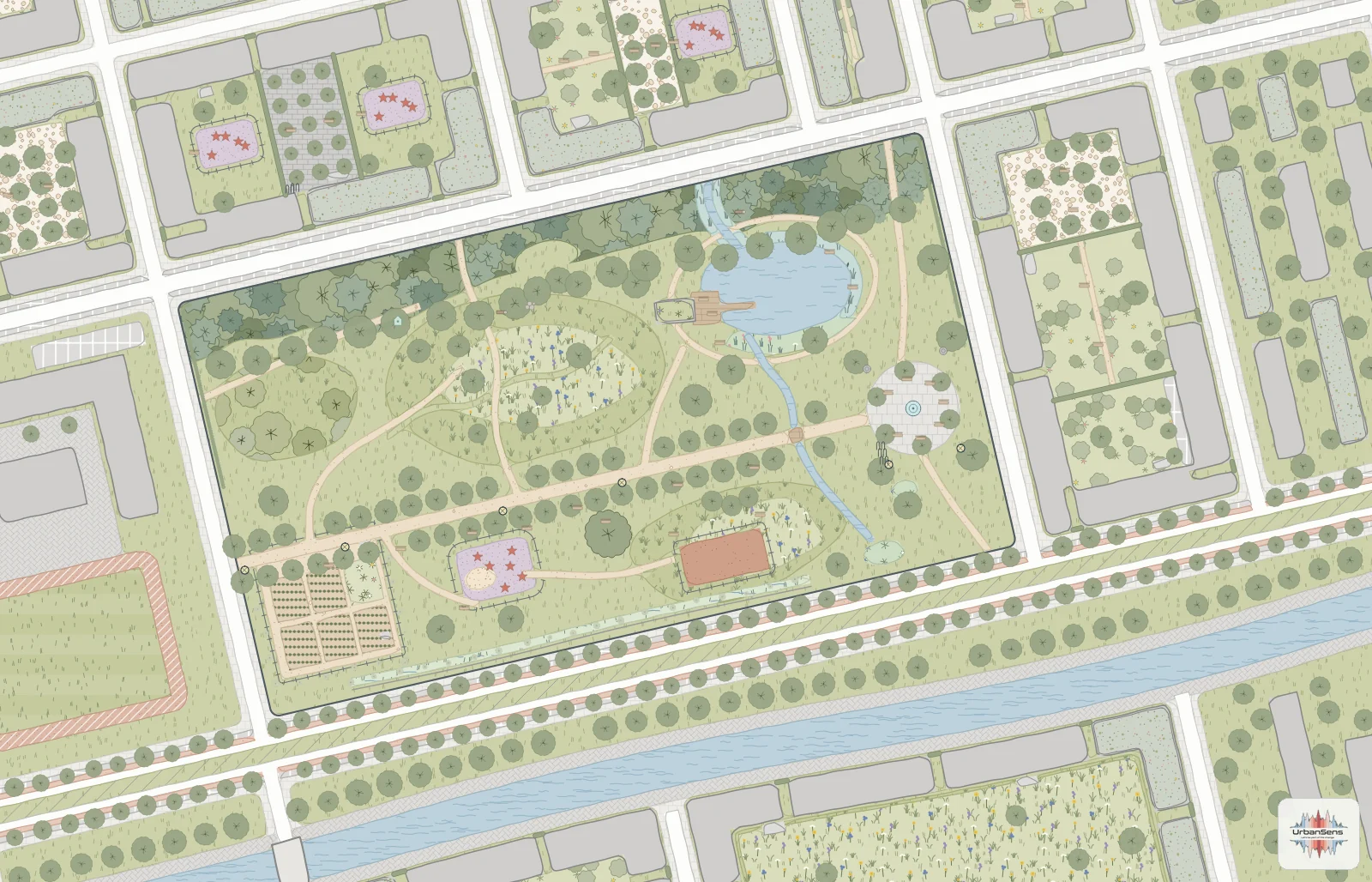
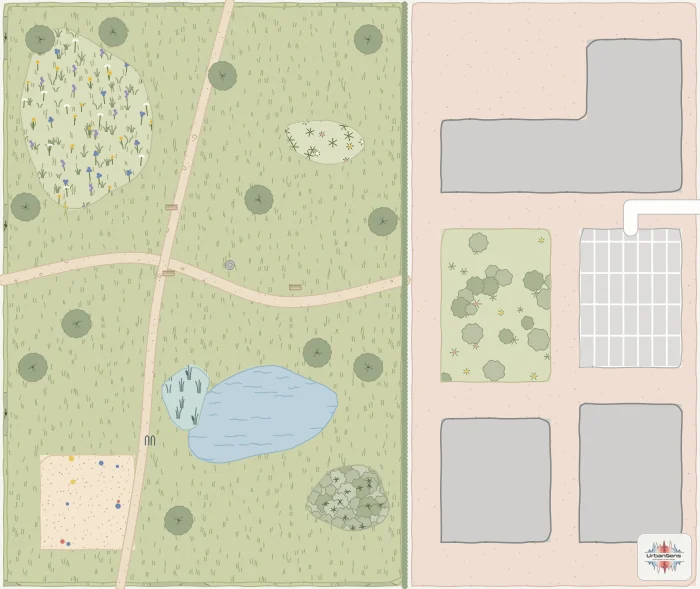
width.Files
| File | Use |
|---|---|
ulg_polygons.qml, ulg_lines.qml, ulg_points.qml |
Layer Properties → Symbology → Style → Load Style… |
ulg_style_library.xml |
Settings → Style Manager → Import: every element as a named symbol, for hand styling |
ulg_palette.gpl |
colour palette for the colour pickers |
What the styles do
- Textures are seamless SVG pattern tiles embedded in the file (
base64:), so the QML needs no SVG search path and no plugin. - Hand-drawn outline: a geometry generator applies
wave_randomized()in paper millimetres, seeded by the feature id; the amplitude stays under half the line width, so the ink covers the true edge. Needs QGIS 3.24 or later; official themes use exact lines. - Level of detail (
--lod auto): a rule-based renderer switches textures at 1:750, 1:2 500 and 1:10 000, exactly like the Python renderer. A fixed--lod 2gives a simpler categorized renderer. - Trees are SVG markers sized in map units from
crown_diameter(or the element default), so crowns are true to scale at every zoom. - Roads and paths given as centre lines (OSM highways) are drawn in the lines style as strips of
their real width: a geometry generator buffers the line by
width,lanesor thehighwayclass. - Drawing order follows the catalog bands, then larger areas first (
$area DESC), so stacked data looks as in Python.
Tested by rendering headlessly with PyQGIS 3.36 (tools/qgis_render.py); the XML follows what QGIS
writes itself and loads in 3.28 and later. A ready project: python examples/qgis_project.py.
5.2 OGC SLD for GeoServer and INSPIRE#
ulg export sld out/ writes ulg_polygons.sld, ulg_lines.sld and ulg_points.sld, one Rule per
element filtered on the element attribute, with
- a flat
PolygonSymbolizerfill plus aGraphicFillof the element's pattern tile (patterns/<id>.svg), - stroke widths converted from millimetres to pixels at 96 dpi, dashes and casings for lines,
ExternalGraphicpoint symbols (symbols/<id>.svg) for pictograms and crowns, well-known marks for dots.
SLD cannot express the procedural outline or scale-dependent detail, so the style degrades
gracefully: flat fill, pattern tile, plain outline. That is also the form INSPIRE view services
expect. Upload the folder with its patterns/ and symbols/ subfolders into the GeoServer style
directory.
5.3 MapLibre GL#
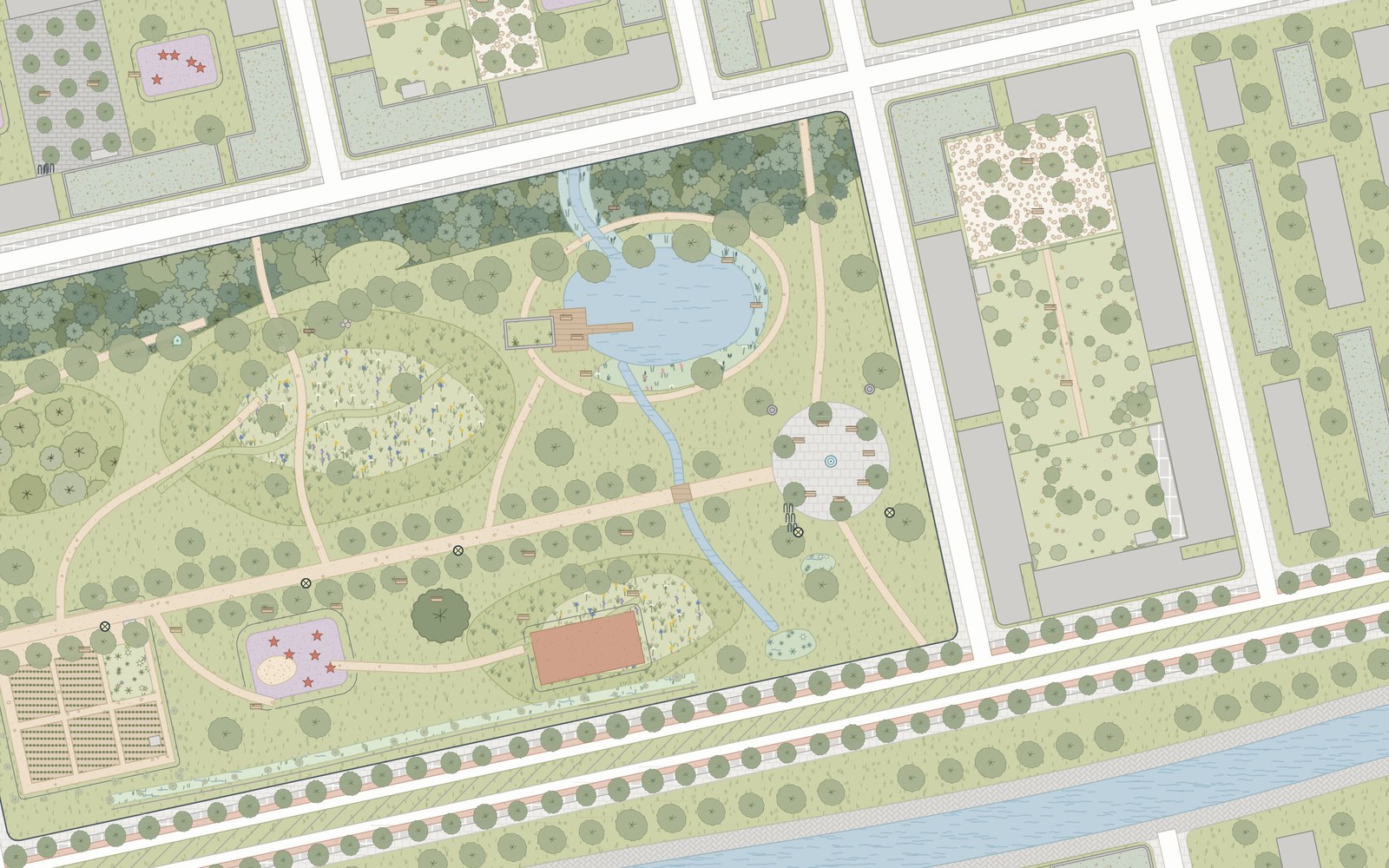 |
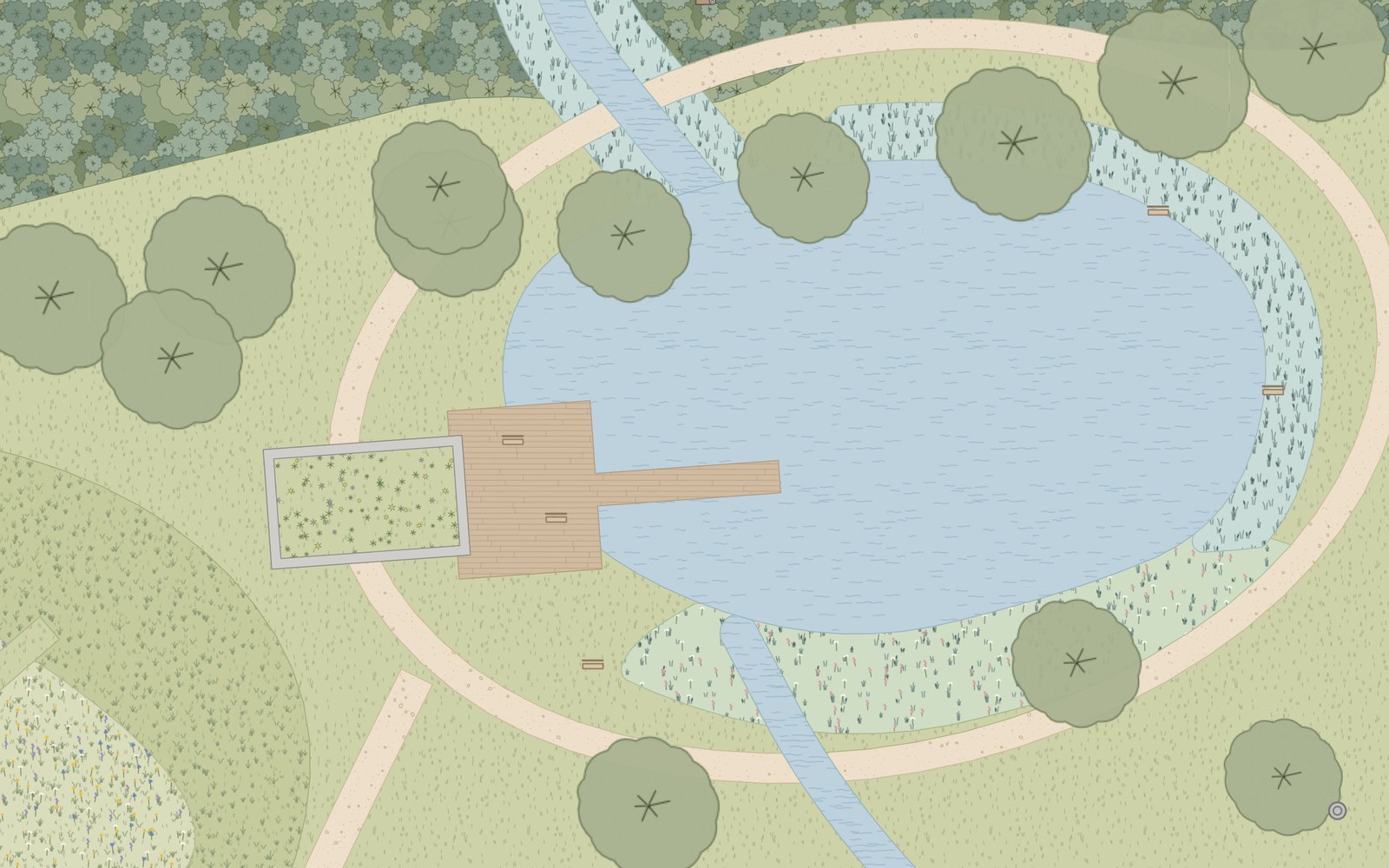 |
| The demo quarter in MapLibre GL, zoom 17. | Detail at zoom 19: pattern tiles, pond, reed belt and boardwalk. |
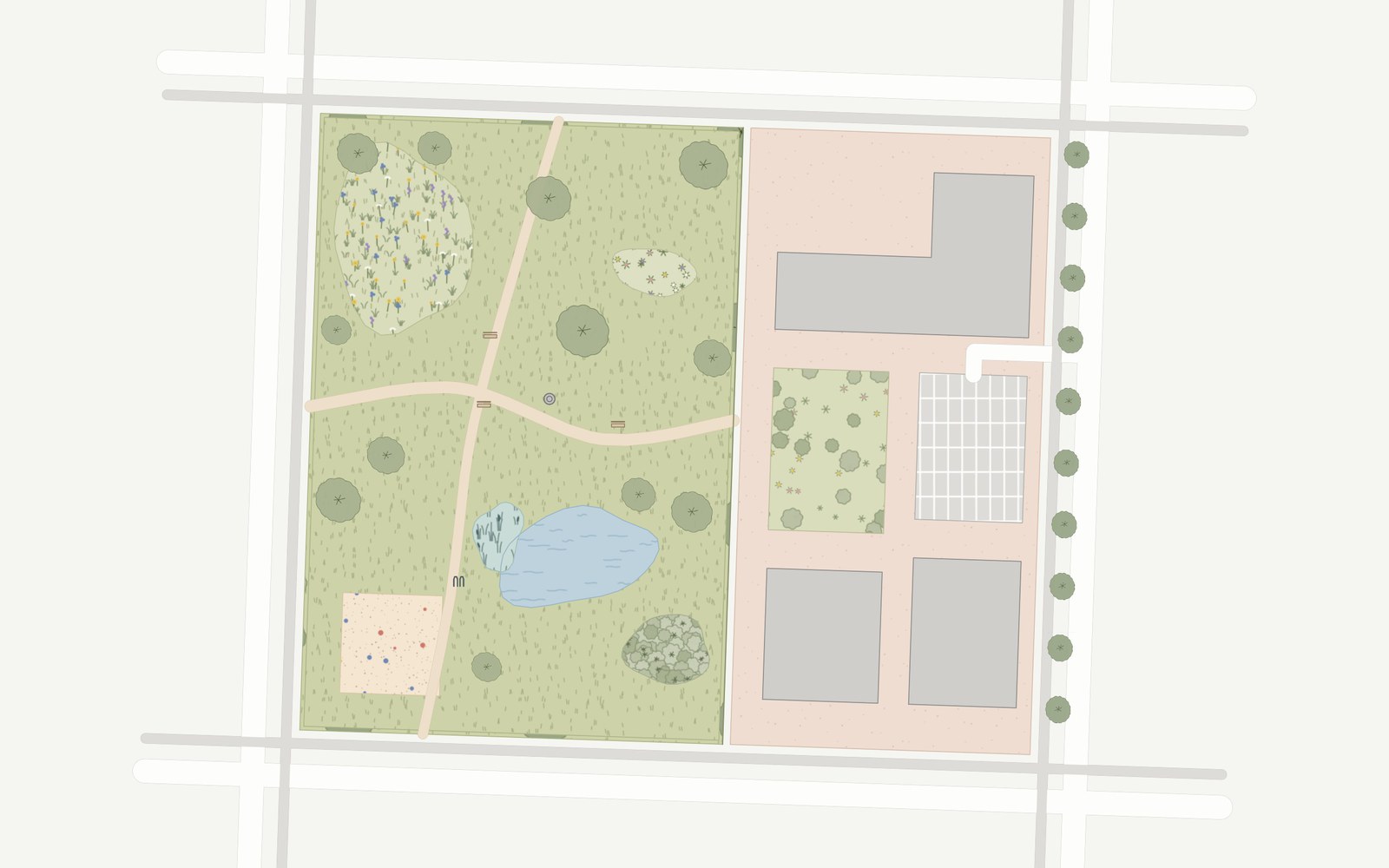
diameter_crown, streets and footways drawn in metres from their centre lines.ulg export web out/ writes, among others:
| File | Content |
|---|---|
ulg-sprite.png/.json, ulg-sprite@2x.png/.json |
pattern tiles ulg-<id>, pictograms ulg-icon-<id>, crowns ulg-crown-<id> |
maplibre-layers.json |
style layers to append to your style's layers |
patterns/*.svg, patterns.svg |
the tiles as SVG files and as one <defs> sheet |
ulg.css, ulg.tokens.json, ulg-colors.json, catalog.json |
tokens and catalog (5.5) |
Prepare the data with to_geojson(): it writes RFC 7946 GeoJSON in WGS 84 and adds area_m2,
which the layers use to draw smaller areas above larger ones.
from ulg.export.web import to_geojson
to_geojson(gdf, "site.geojson", columns=["element", "crown_diameter"])
Use the layers
const layers = await (await fetch("ulg/maplibre-layers.json")).json();
new maplibregl.Map({
  container: "map",
  style: {
    version: 8,
    sprite: new URL("ulg/ulg-sprite", location.href).href,
    sources: { ulg: { type: "geojson", data: "site.geojson" } },
    layers: [{ id: "paper", type: "background", paint: { "background-color": "#F5F5F1" } }, ...layers]
  }
});
| Layer | Draws |
|---|---|
ulg-fill, ulg-pattern, ulg-outline |
flat fills below zoom 15.5, then tiles that carry their own fill colour, so textures stack per feature; outlines. Sorted by z, then area |
ulg-strips-casing, ulg-strips |
roads and paths given as centre lines, in metres at every zoom |
ulg-lines |
line elements: hedges, walls, fences, boundaries, ditches |
ulg-trees, ulg-crowns |
trees as circles in metres below zoom 15, then as drawn crown icons scaled to their real diameter |
ulg-points, ulg-icons |
dots (sensors, bollards) and pictograms (from zoom 17) |
For vector tiles, pass source_layer= to maplibre_layers(). Metre-based sizes use the latitude of
your data (latitude= in export_web). Crown sizes are read from crown_diameter, diameter_crown,
kronendurchmesser and the other size attributes the Python renderer knows. MapLibre cross-fades fill
patterns between zoom levels, so textures are sharpest at whole zoom levels.
The example. examples/web/ is a complete page. Build it and serve it:
python examples/web/build.py
python -m http.server 8765 --directory examples/web
Open http://localhost:8765 for the demo quarter, or http://localhost:8765/?data=osm for the
OpenStreetMap-style block with stacked areas and streets as centre lines. The same page is live at
urbansens.github.io/Urban-Landscape-Graphics/demo/
(the documentation workflow rebuilds it on every push).
The page is in German by default; add ?lang=en for English (/?lang=en&data=osm).
5.4 Leaflet, folium, OpenLayers#
Leaflet-style APIs take a style callback with flat colours:
folium.GeoJson(gdf.to_crs(4326), style_function=ulg.style_function()).add_to(m)
For textures in SVG-based renderers, include patterns.svg (one <pattern id="ulg-<id>"> per
element) and fill paths with url(#ulg-lawn). OpenLayers and deck.gl can use the sprite PNG and its
JSON index as an atlas.
5.5 Design tokens and apps#
ulg export tokens out/
| File | Format | For |
|---|---|---|
ulg.css |
CSS custom properties (--ulg-grass-300, --ulg-lawn-fill, --ulg-lawn-ink …) |
web apps, the example page |
ulg.tokens.json |
W3C Design Tokens Community Group format | Figma (Tokens Studio), Style Dictionary |
ulg-colors.json |
flat {token: hex} |
any tool |
catalog.json |
the full catalog: elements, names, colours, attributes | apps, dashboards, agents |
5.6 Print and illustration#
SVG output is laid out in millimetres at the map scale: open it in Inkscape, Illustrator or Affinity
and it is true to size. Every feature group carries data-element="<id>", so layers can be selected
and restyled by element. For PDF:
inkscape plan.svg --export-type=pdf